Seedance 2.5 vs 2.0: Which Workloads Move, Wait, or Stay?
For developers, the correct Seedance 2.5 vs 2.0 decision is not “newer model wins.” It is a routing decision with three outcomes:
- Stay on Seedance 2.0 for production workloads that already meet their acceptance target and have no measured constraint 2.5 would remove.
- Wait on migration when the decision depends on facts you have not yet verified for your own account — console price fit, compliance controls, or latency under your load.
- Run a controlled 2.5 evaluation for workloads constrained by duration, reference capacity, or multimodal coordination — the route is live, so route production traffic only after it passes your gates and a small canary.
Publication update on August 7, 2026: the official Seedance 2.5 API and EvoLink integration are live. The site’s integration schema is an independent aid, not an EvoLink provider contract. Seedance 2.0 remains the practical rollback while teams compare the live routes on their own inputs.
This is an independent routing guide. Seedance is a ByteDance model family; Seedance25API and the recommended third-party provider EvoLink are not affiliated with ByteDance.
Quick routing verdict
| Workload | Decision now | Why |
|---|---|---|
| Short social clips already accepted on 2.0 | Stay | A model change adds risk without solving a measured problem |
| Production deadline with no time for a 2.5 canary | Stay | A tested route is a hard requirement, not a benchmark |
| Reference-heavy scene that exceeds the current 2.0 workflow | Test now | The live 2.5 route documents 30 image / 10 video / 10 audio references — verify against your account |
| Longer continuous scene currently split into many clips | Test now | The live 4–30 second range may improve continuity but increases retry cost and failure surface |
| Budget requires a known unit price | Check console, then canary | Read the current EvoLink console rate and reconcile a small canary bill first |
| Regulated or approval-heavy production | Wait or run shadow tests | Auditability and stable behavior matter more than novelty |
| Research prototype with no delivery commitment | Test now | Good environment for adapter and evaluation work |
This table deliberately avoids “move everything now.” Migration should be earned by workload-specific evidence.
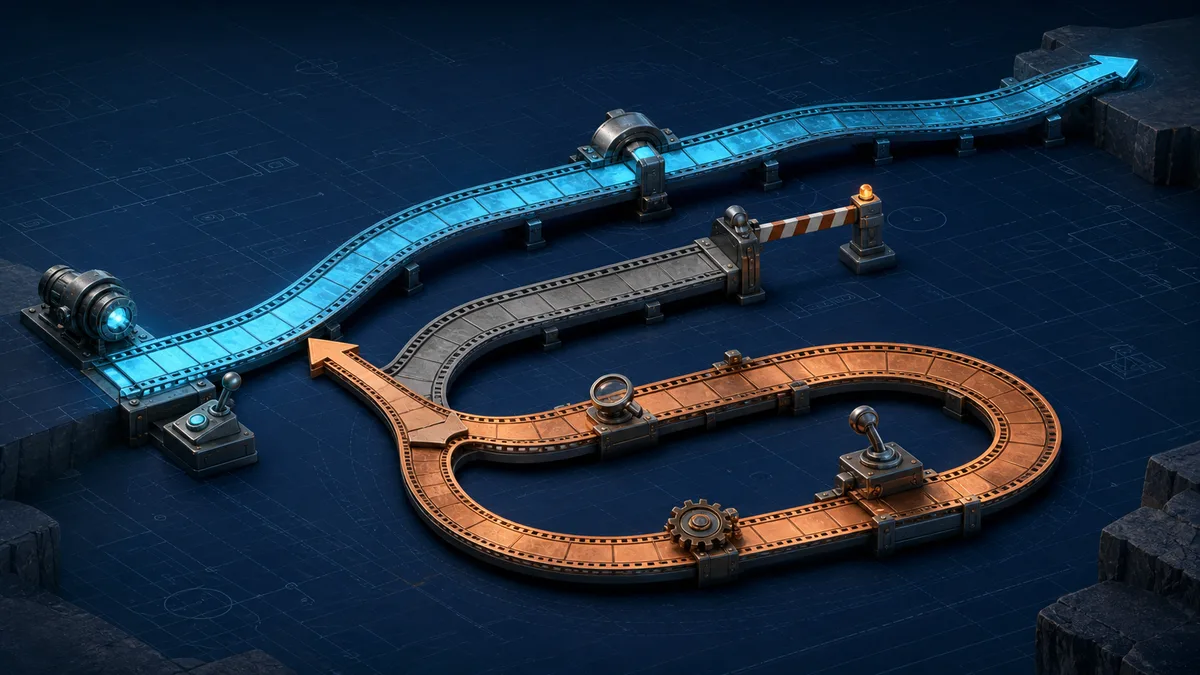
Decision tree: stay, prepare, or wait
Use the following order so model novelty does not override a production requirement:
- Do you need a callable route for current delivery? If yes, stay on a documented route such as Seedance 2.0.
- Is a measured 2.0 constraint blocking the workload? If no, stay; there is no migration problem to solve.
- Does the constraint involve continuity, reference orchestration, or controlled editing? If yes, put that workload into a live 2.5 evaluation. If not, compare other verified routes as well.
- Does the decision depend on a 2.5 price, limit, region, or compliance control? If yes, confirm it in the live EvoLink documentation, console, and your own account evidence before committing.
- Has the live route passed contract, workload, cost, and rollback gates? If no, keep it in evaluation. If yes, begin a small canary for eligible jobs only.
The tree assigns a route to a workload, not a permanent winner to an entire model family.
Verified 2.0 facts vs live 2.5 API scope
The comparison below separates the two documented provider routes. The 2.5 column reflects the launch contract, not a quality verdict.
| Decision factor | Seedance 2.0 provider baseline | Seedance 2.5 live route | How to use the difference |
|---|---|---|---|
| EvoLink route | Documented and usable through the current Seedance 2.0 route | Live with three workflow IDs: text-to-video, image-to-video, reference-to-video | Keep 2.0 as fallback |
| Output duration | EvoLink’s public 2.0 guide documents 4–15 seconds | Documented launch range of 4–30 seconds | Test whether longer single takes beat multi-job stitching for your workload |
| Resolution | Current EvoLink 2.0 route docs list 480p, 720p, 1080p, and 4K options | Documented launch tiers are 480p and 720p only | Validate each route independently; do not inherit 2.0 tiers into 2.5 |
| Reference inputs | Public 2.0 guide documents per-type image, video, and audio limits | Reference-to-video documents up to 30 images, 10 videos, and 10 audio files | Evaluate whether the live route reduces current workarounds |
| Pricing | Check the live EvoLink 2.0 page and console | Check the current 2.5 price in the EvoLink console | Compare cost per accepted output after reconciling a canary bill |
| Quality and reliability | Can be tested on the production route | Can be tested on the live route; no independent dataset on this site | Do not claim a winner without your own repeated tests |
Public showcase examples describe product workflows, not provider API entitlements. The live EvoLink launch contract defines 4–30 seconds, 480p/720p, and three workflow IDs. Use the local integration schema as an aid, then measure production behavior with a short account-level canary.
Move: workloads that should become early 2.5 candidates
“Move” here means move into the live evaluation queue now—not directly into full production.
1. Long continuity workloads
If a 12-second or 20-second scene is currently assembled from several short jobs, the team pays a coordination tax:
- last-frame extraction and carryover;
- character and lighting drift at every seam;
- separate retries for each segment;
- editing and audio alignment;
- more state transitions in the application.
A longer single job could remove some seams. It also creates a larger unit of failure. A rejected 30-second output wastes more generation and review time than a rejected 5-second clip. The evaluation should therefore compare the whole workflow, not only visual continuity.
Measure:
single-job acceptance rate
vs
multi-job acceptance rate × successful stitching rate
Include the ability to replace one bad segment. Multi-job orchestration may remain the better production design even if a single long output looks smoother.
2. Reference-constrained products
Candidate products include branded content tools, product tutorials, recurring characters, and controlled style systems. If 2.0 currently forces teams to combine references into collages or drop useful motion/audio guidance, the live 2.5 reference-to-video route is worth testing against that exact constraint.
The success metric is not “accepted more files.” It is whether the larger input plan reduces:
- identity substitutions;
- wrong product geometry or colors;
- repeated descriptive prompt text;
- manual correction;
- total attempts per accepted output.
More references can also introduce conflicts. The application should record reference roles and allow groups to be disabled during debugging.
3. Multimodal coordination
Products that combine identity images, camera-motion video, and audio rhythm may benefit most from a route designed around separate media arrays. Evaluate each modality progressively. A single request containing every available reference is not a useful first test because any failure has too many suspects.
Wait: workloads that should not depend on 2.5 yet
Delivery dates come before model access
If a customer contract, campaign, or product launch has a hard deadline, keep Seedance 2.0 or another documented model available as rollback while the live 2.5 route passes the team’s own canary.
Known budgets require known billing
The EvoLink route is live, but this site does not mirror a fixed unit quote without a published rate-card value. A budget with a hard ceiling should read the current provider-console price and measure completed, failed, moderated, and canceled outcomes in a small canary.
Compliance-heavy workflows require evidence
Teams that need documented retention, access control, data processing, regional availability, or approval behavior should not infer policy from model demos. These are provider and account questions. Keep production rollout limited until the required documentation and contractual controls are available.
Stay: when 2.0 is already the right route
Migration has an opportunity cost. If a short-form workflow already meets its quality target, the team should ask what measurable constraint 2.5 removes.
Stay on 2.0 when:
- the accepted output rate is healthy;
- clip length is sufficient;
- the current reference budget covers the product;
- latency and price are predictable enough for the business;
- the application does not have evaluation capacity for a second route;
- a migration would distract from higher-value product work.
“New model available” is an event. It is not a reason by itself.
Use one adapter, not two product implementations
The application should expose a provider-neutral job and keep route-specific behavior behind an adapter.
type VideoJobInput = {
  prompt: string;
  durationSeconds: number;
  quality: string; // validate against the active route's documented tiers
  references: Array<{
    type: "image" | "video" | "audio";
    url: string;
    role: string;
  }>;
};

type VideoRoute = {
  submit(input: VideoJobInput): Promise<{ providerJobId: string }>;
  getStatus(id: string): Promise<{
    state: "pending" | "processing" | "completed" | "failed";
    outputUrl?: string;
    error?: string;
  }>;
};
Keep these values in configuration rather than UI logic:
VIDEO_ROUTE=seedance-2-5
SEEDANCE_MODEL=seedance-2.5-text-to-video
MAX_DURATION_SECONDS=30
MAX_IMAGE_REFERENCES=30
SEEDANCE_20_FALLBACK_ENABLED=true
The product should validate against the active route’s capabilities. Do not show a 30-second option to a job that will fall back to a route that cannot render it.
Store the normalized state for product behavior and the raw provider response for diagnosis. Normalization makes routing possible; raw data preserves evidence when providers use different error shapes.
Build a fair evaluation set
A fair comparison uses the same business jobs, not unrelated showcase prompts. Select 12–20 requests from real workload categories and freeze them before testing.
| Evaluation dimension | Example acceptance rule |
|---|---|
| Instruction order | Required actions appear in the correct sequence |
| Identity/product fidelity | Named invariants remain recognizable through the output |
| Motion | Requested camera path is present without unintended cuts |
| Visual defects | No blocker defect in hands, faces, geometry, or text |
| Audio | Required speech, effects, or rhythm is usable |
| Operational result | Job completes inside the workload’s latency budget |
| Economic result | Cost per accepted output stays below the target |
Run multiple attempts per request. One cherry-picked output cannot establish a route policy. Have reviewers score without knowing which route produced the video when practical.
Compare cost per accepted output
List price answers how a provider bills one unit. Production cost answers how much the team spends to obtain one usable result.
generation cost per accepted output
= total billed generation cost / accepted outputs

production cost per accepted output
= generation cost per accepted output
 + review labor
 + post-production labor
 + storage and delivery
Add fallback cost if a failed 2.5 job is automatically rerouted to 2.0. The 2.5 route should not be promoted because its unit price looks attractive if it needs more retries or manual work.
The Seedance 2.5 pricing page should keep pointing at the current EvoLink console rate. The comparison Blog owns the decision framework, not the price table.
Roll out with eligibility rules and a kill switch
With the live 2.5 route, use this sequence:
- Contract smoke test: verify authentication, request acceptance, state transitions, output access, and billing.
- Offline evaluation: run the frozen workload set without customer traffic.
- Shadow recommendation: let the system calculate which jobs would route to 2.5 without sending them.
- Five-percent canary: send only eligible, non-critical jobs.
- Twenty-five percent: expand only if acceptance, error, latency, and cost thresholds all pass.
- Full eligible traffic: never force workloads that still perform better on 2.0.
Define rollback before the canary:
| Trigger | Example response |
|---|---|
| Route unavailable or repeated 503 | Disable 2.5 and send eligible jobs to 2.0 |
| Error rate exceeds threshold | Stop new 2.5 submissions; preserve in-flight polling |
| Cost per accepted output exceeds budget | Reduce eligibility or return to 2.0 |
| Identity/brand rejection rises | Disable 2.5 for that workload class |
| Provider schema changes | Freeze route, update adapter, rerun contract tests |
The kill switch must be operational configuration, not a deployment that requires a code release.
Common migration mistakes
- Comparing a curated 2.5 showcase with an average 2.0 production output. Freeze the same requests, references, review rules, and attempt count for both routes.
- Promoting a route after one successful clip. A routing policy needs repeated attempts and failure accounting, not a best-case sample.
- Sending every workload into the canary. Eligibility should reflect the specific constraint 2.5 is expected to remove.
- Silently truncating unsupported requests during fallback. Reject or ask the user to adapt the request when 2.0 cannot preserve its intent.
- Treating a poll timeout as a failed generation. Resume the existing task before creating a possibly billable duplicate.
- Removing the 2.0 fallback too early. Keep it until acceptance, latency, error, and cost thresholds remain stable across the observation window.
Recommended policy
Use live Seedance 2.5 behind the same configurable interface as Seedance 2.0. Evaluate the workloads most likely to benefit—long continuity, reference-heavy scenes, and multimodal coordination—against the actual 2.0 baseline, and retain 2.0 as rollback until the canary meets its thresholds.
Do not migrate simple successful workloads for novelty. Promote 2.5 only where it improves acceptance, operational reliability, or production cost on the team’s own data. Start with the live 2.5 route in the current API quickstart, keep 2.0 as rollback, and use the public examples to construct workload slices without treating them as benchmarks.
Sources
- EvoLink Seedance 2.0 reference-to-video documentation
- Official Dreamina Seedance 2.5 product page
- EvoLink Seedance 2.5 access status
- EvoLinkAI Seedance 2.0 public guide and cases
- Seedance25API independent live integration schema
- Seedance25API model facts and current status
Verification note: Seedance 2.0 facts are scoped to the cited EvoLink route. Seedance 2.5 uses the three live EvoLink workflow IDs, 4–30 seconds, 480p/720p, and the documented R2V reference split; check the current console price before production.